How club admins manage fixtures and scoreboards
A practical walkthrough of setting up fixtures, recording results, and publishing scorecards — without chaos.
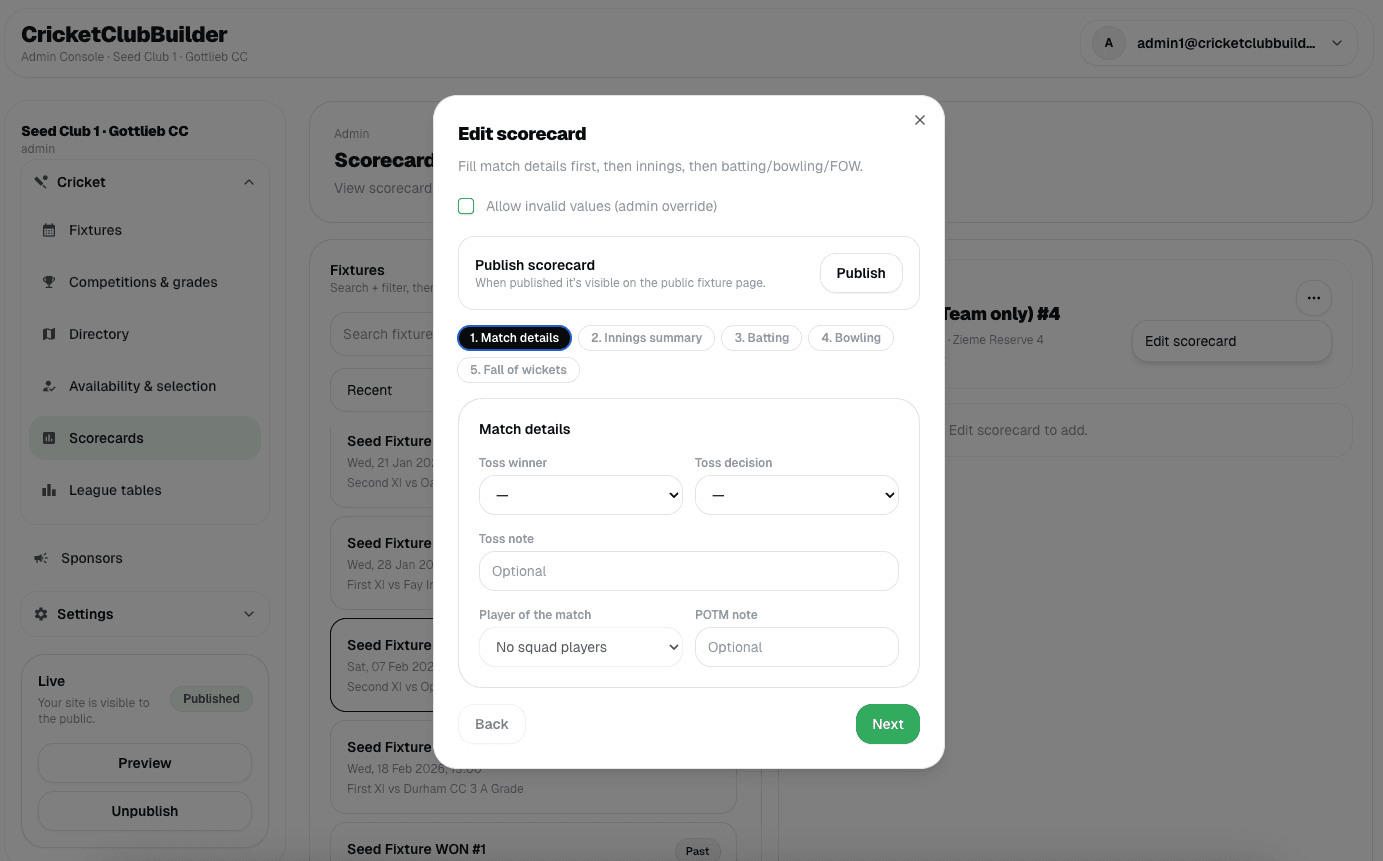
Running fixtures is one of the biggest admin jobs in any cricket club.
Matches move. Teams change. Results come in late. CricketClubBuilder is designed to handle that reality — without forcing you to do everything perfectly, upfront.
Here’s how most club admins use fixtures and scoreboards in practice.
1) Create fixtures once, update when needed
Fixtures are created with:
- season, competition, and grade
- home / away / neutral
- opponent and ground
- date and start time
Once created, fixtures can be:
- shown on the public website immediately
- updated later if times or venues change
- kept private while you’re still setting things up
You don’t need final squads or results to publish fixtures.
2) Publish fixtures without publishing results
This is intentional.
A fixture can be:
- public (visible to players, parents, supporters)
- finished
- but still unpublished for results
That allows you to:
- double-check scorebooks
- wait for confirmation
- avoid publishing incorrect scores
On the public site, supporters will see: “Result not published yet” — instead of wrong data.
3) Add squads when you’re ready
Squads can be added before or after the match.
For each fixture you can:
- select your club players
- enter opponent player names
- arrange batting order
If squads aren’t entered yet, the scorecard still works. The system never blocks you from entering results just because a squad step was skipped.
4) Record scorecards in realistic steps
Scoreboards are built around innings — just like real cricket.
You can enter:
- innings totals
- batting lines (runs, balls, dismissal)
- bowling figures
- fall of wickets (optional)
You don’t need to fill everything in at once. If a section isn’t entered, it simply doesn’t show.
No broken layouts. No ugly placeholders.
5) Publish when you’re confident
Once you’re happy:
- publish the result
- the full scorecard appears on the site
- fixtures move into “completed” views automatically
If something changes later, you can still update it.
6) What happens when data is missing?
Real clubs don’t always have everything.
CricketClubBuilder handles this safely:
- No opponent logo → initials shown
- No fall of wickets → section hidden
- No player-of-the-match → not shown
- Partial scorecard → totals still visible
The site always stays clean and readable.
Final thought
Fixtures and scoreboards are designed to help admins — not stress them.
You can:
- work gradually
- publish when ready
- correct things later
- and still present a professional, trustworthy club website
That’s the goal: less admin pressure, better results presentation.