From availability to final squad (and live on your site)
A simple flow for team selection: set the fixture, collect availability, pick the squad, and publish it to the website.
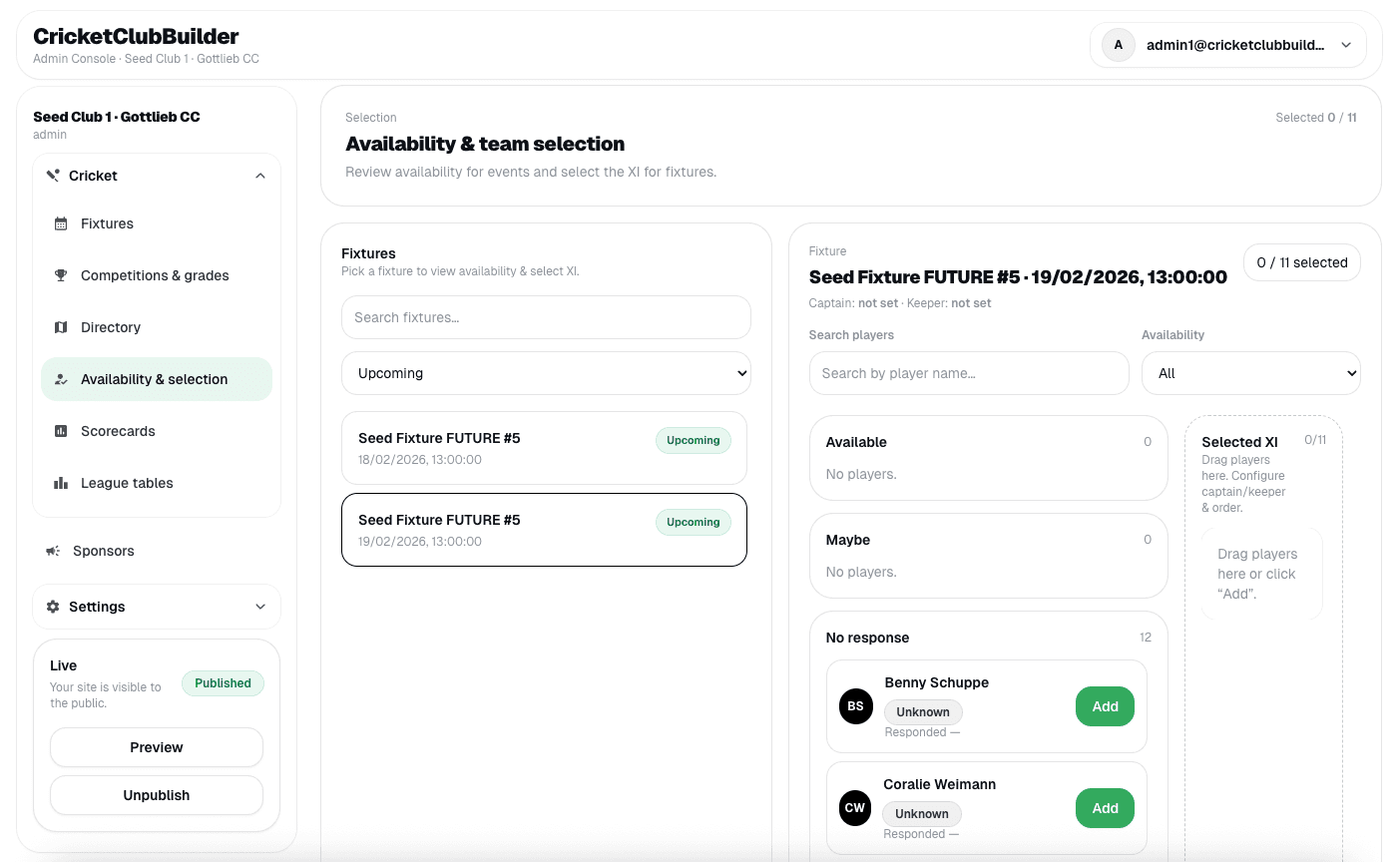
Team selection is much easier when everyone sees the same information. CricketClubBuilder keeps the process simple: set the fixture, collect availability, pick a squad, and publish the final team to the website.
1) Create the fixture
Start by creating the fixture with:
- season, competition, and grade
- opponent and ground
- date and start time
You can publish the fixture immediately so players and supporters can see it early. Squads do not need to be final yet.
2) Players set availability
Once the fixture exists, players can mark their availability. That gives selectors a clear view of who is available and who is not.
This avoids last‑minute surprises and saves time messaging everyone individually.
3) Shortlist and select the squad
When availability is in:
- open the fixture
- view the available players
- select the squad for that match
You can adjust the squad later if injuries or changes happen. The goal is to keep selection flexible while always showing the latest decision.
4) Publish the final team
Once you confirm the squad, publish it. The fixture page on the website updates instantly to show:
- the selected squad
- any listed batting order or roles
Supporters see the same information your players do — accurate and up to date.
5) Keep it clean when things change
If the squad changes, just update the selection. CricketClubBuilder shows the newest version without needing to rebuild the site.
Final thought
Good selection workflows save time for admins and reduce confusion for players. Set the fixture early, collect availability, pick the squad, and publish it when you are ready. The club website stays clear, professional, and current.